* Tool 전용 애니메이션 제작
로블록스에서 간단히 애니메이션을 제작할 수 있는 툴을 지원한다.
PLUGINS > Build Rig 를 통해 Rig를 선택할 수 있고
PLUGINS > Animation Editor 를 통해 키프레임 애니메이션을 제작할 수 있다.
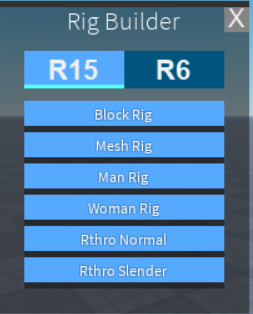
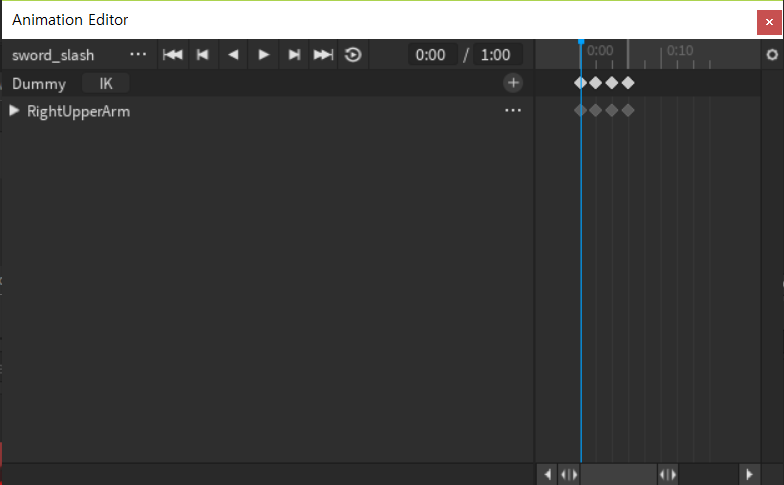
애니메이션을 제작했다면 로블록스에 올린 후 AnimationId를 받아올 수 있으며 AnimationId를 통해 제작한 애니메이션을 가져올 수 있다.
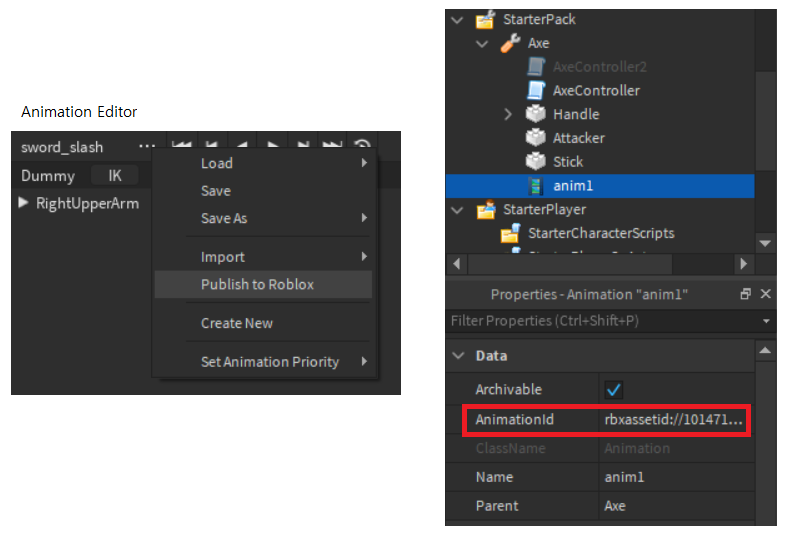
그리고 이를 기반으로 코드에서 애니메이션 트랙을 만들어서 해당 애니메이션을 플레이한다.
* Tool에 기능 추가하기
Tool에는 클릭 했을 때 발생하는 Activated라는 이벤트를 활용하여 만든 애니메이션 출력 시점과 기타 정보들을 처리하고 Tool의 특정 Part에 맞으면 피격 처리를 하기 위해 Part의 Touched 이벤트를 활용한다.
// 추가로 Tool에는 Equiped, Unequiped 이벤트도 존재하는데 추가로 탈착 시점에 기능을 구현할 수 있다.
-- AxeController

-- 로컬 변수

local tool = script.Parent
local anim1 = tool.anim1
local damage = 5
local isAttacking = false
local humanoid
local target
local anim1Track


-- 이벤트 함수 정의

local function onTouched(otherPart)

	if isAttacking == false then return end

	isAttacking = false
	target = otherPart.Parent:FindFirstChild("Humanoid")
	if target ~= nil then
		if target.Parent == tool.Parent then return end
	else
		target = require(otherPart.Parent.ObjectModule)
		if target == nil then return end
	end

	target:TakeDamage(damage)
end


local function onActivated()

	isAttacking = true
	humanoid = tool.Parent.Humanoid
	anim1Track = humanoid:LoadAnimation(anim1)
	anim1Track:Play()

	anim1Track.Stopped:Connect(function() isAttacking = false end)
end


-- 이벤트 바인드

tool.Activated:Connect(onActivated)
tool.Attacker.Touched:Connect(onTouched)
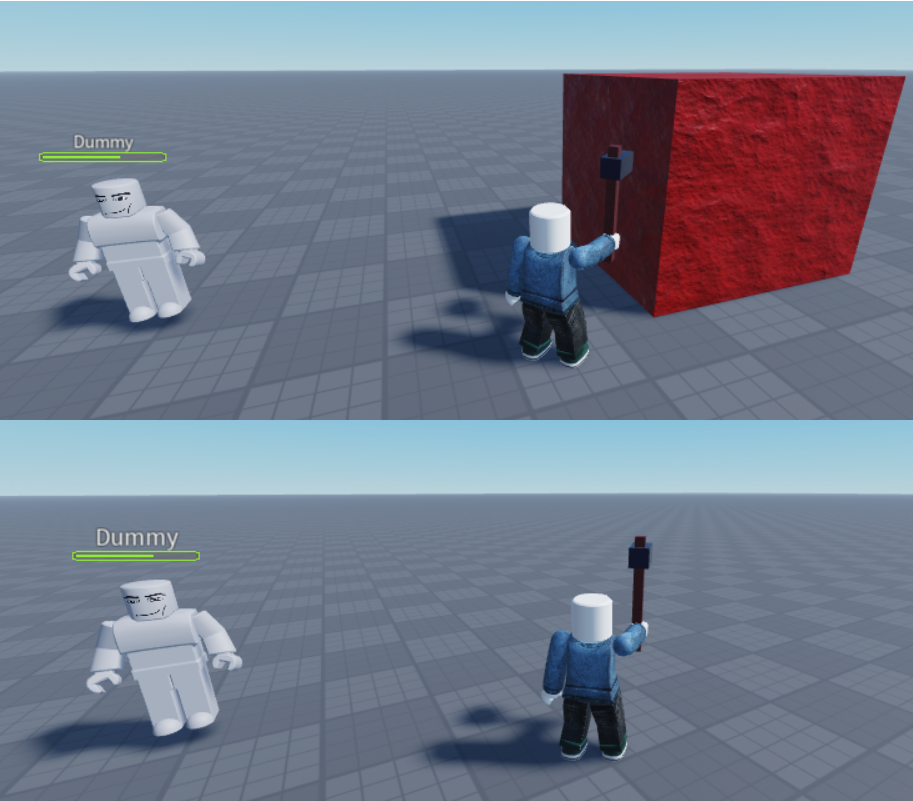
마우스 클릭시 애니메이션 트랙을 로드하여 플레이하고, 이 시점에 Touched 이벤트가 발생한다면 데미지를 입힌다.
* 파괴 가능 오브젝트
파괴 가능 오브젝트에 있는 기능을 Tool에 존재하는 스크립트에서 사용하기 위해 임시로 ModuleScript를 사용하여 require를 통해 받아오도록 하였다. 나중에 코드와 구조를 정리해야 한다.
-- ObjectModule

local module = {}
local lifePoint = 20
local object = script.Parent

function module:TakeDamage(damage) -- boolean
	lifePoint -= damage

	print(lifePoint)
	if lifePoint <= 0 then
		object:Destroy()
	end
end

return module
* 테스트 화면
'Lua in Roblox' 카테고리의 다른 글
| [Lua / Roblox] 미니 배틀 로얄 게임 #2 : 메인 루프 만들기 (0) | 2022.07.10 |
|---|---|
| [Lua / Roblox] ServerScriptService (0) | 2022.07.08 |
| [Lua / Roblox] Backpack, Tool (0) | 2022.07.07 |
| [Lua / Roblox] ModuleScript (0) | 2022.07.07 |
| [Lua / Roblox] Script (0) | 2022.07.07 |